
In the spring of 2020 I decided to finally do something about the lack of visualizations for how the curl project is performing, development wise.
How does the line of code growth look like? How many command line options have we had over time and how many people have done more than 10 commits per year over time?
I wanted to have something that visually would show me how the project is doing, from different angles, viewpoints and probes. In my mind it would be something like a complicated medical device monitoring a patient that a competent doctor could take a glance at and assess the state of the patient’s health and welfare. This patient is curl, and the doctors would be fellow developers like myself.
GitHub offers some rudimentary graphs but I found (and still find) them far too limited. We also ran gitstats on the repository so there were some basic graphs to get ideas from.
Make it myself
I did a look-around to see what existing frameworks and setups that existed that I should base this one, as I was convinced I would have to do quite some customizing myself. Nothing I saw was close enough to what I was looking for. I decided to make my own, at least for a start.
I decided to generate static images for this, not add some JavaScript framework that I don’t know how to use to the website. Static daily images are excellent for both load speed and CDN caching. As we already deny running JavaScript on the site that saved me from having to work against that. SVG images are still vector based and should scale nicely.
SVG is also a better format from a download size perspective, as PNG almost always generate much larger images for this kind of images.
When this started, I imagined that it would be a small number of graphs mostly showing timelines with plots growing from lower left to upper right. It would turn out to be a little naive.
gnuplot
I knew some basics about gnuplot from before as I had seen images and graphs generated by others in the past. Since gitstats already used it I decided to just dive in deeper and use this. To learn it.
gnuplot is a 40 year old (!) command line tool that can generate advanced graphs and data visualizations. It is a powerful tool, which also means that not everything is simple to understand and use at once, but there is almost nothing in terms of graphs, plots and curves that it cannot handle in one way or another.
I happened to meet Lee Phillips online who graciously gave me a PDF version of his book aptly named gnuplot. That really helped!
Produce data to feed gnuplot
I decided that for every graph I want to generate, I first gather and format the data with one script, then render an image in a separate independent step using gnuplot. It made it easy to work on them in separate steps and also subsequently tune them individually and to make it easy to view the data behind every graph if I ever think there’s a problem in one etc.
It took me about about two weeks of on and off working in the background to get a first set of graphs visualizing curl development status.
I then created the glue scripting necessary to add a first dashboard with the existing graphs to the curl website. Static HTML showing static SVG images.
On March 20, 2020 the first version of the dashboard showed no less than twenty separate graphs. I refer to “a graph” as a separate image, possibly showing more than one plot/line/curve. That first dashboard version had twenty graphs using 23 individual plots.
Since then, we display daily updated graphs there.
The data
All data used for populating the graphs is open and available, and I happily use whatever is available:
- git repository (source, tags, etc)
- GitHub issues
- mailing list archives
- curl vulnerability data
- hackerone reports
- historic details from the curl past
Open and transparent as always.
Then it grew
Every once in a while since then I get to think of something else in the project, the code, development, the git history, community, emails etc that could be fun or interesting to visualize and I add a graph or two more to the dashboard. Six years after its creation, the initial twenty images have grown to one hundred graphs including almost 300 individual plots.
Most of them show something relevant, while a few of them are in the more silly and fun category. It’s a mix.
Graph 100
The 100th graph was added on March 15, 2026 when I brought back the “vulnerable releases” graph (appearing on the site on March 16 for the first time). It shows the number of known vulnerabilities each past release has. I removed it previously because it became unreadable, but in this new edition I made it only show the label for every 4th release which makes it slightly less crowded than otherwise.

This day we also introduce a new 8-column display mode.
Custom but available
Many of the graphs are internal and curl specific of course. The scripts for this, and the entire dashboard, remain written specifically for curl and curl’s circumstances and data. They would need some massaging and tweaking in order to work for someone else.
All the scripts are of course open and available for everyone.
I used to also offer all the CSV files generated to render the graphs in an easy accessible form on the site, but this turned out to be work done for virtually no audience, so I removed that again. If you replace the .svg extension with .csv, you can still get most of the data – if you know.
Data is knowledge
The graphs and illustrations are not only silly and fun. They also help us see development from different angles and views, and they help us draw conclusions or at least try to. As an established and old project that makes an effort to do right, some of what we learn from this curl data might be possible to learn from and use even in other projects. Maybe even use as basis when we decide what to do next.
I personally have used these graphs in countless blog posts, Mastodon threads and public curl presentations. They help communicate curl development progress.
The jokes
On Mastodon I keep joking about me being a graphaholic and often when I have presented yet another graph added the collection, someone has asked the almost mandatory question: how about a graph over number of graphs on the dashboard?
Early on I wrote up such a script as well, to immediately fulfill that request. On March 14 2026, I decided to add it it as a permanent graph on the dashboard.
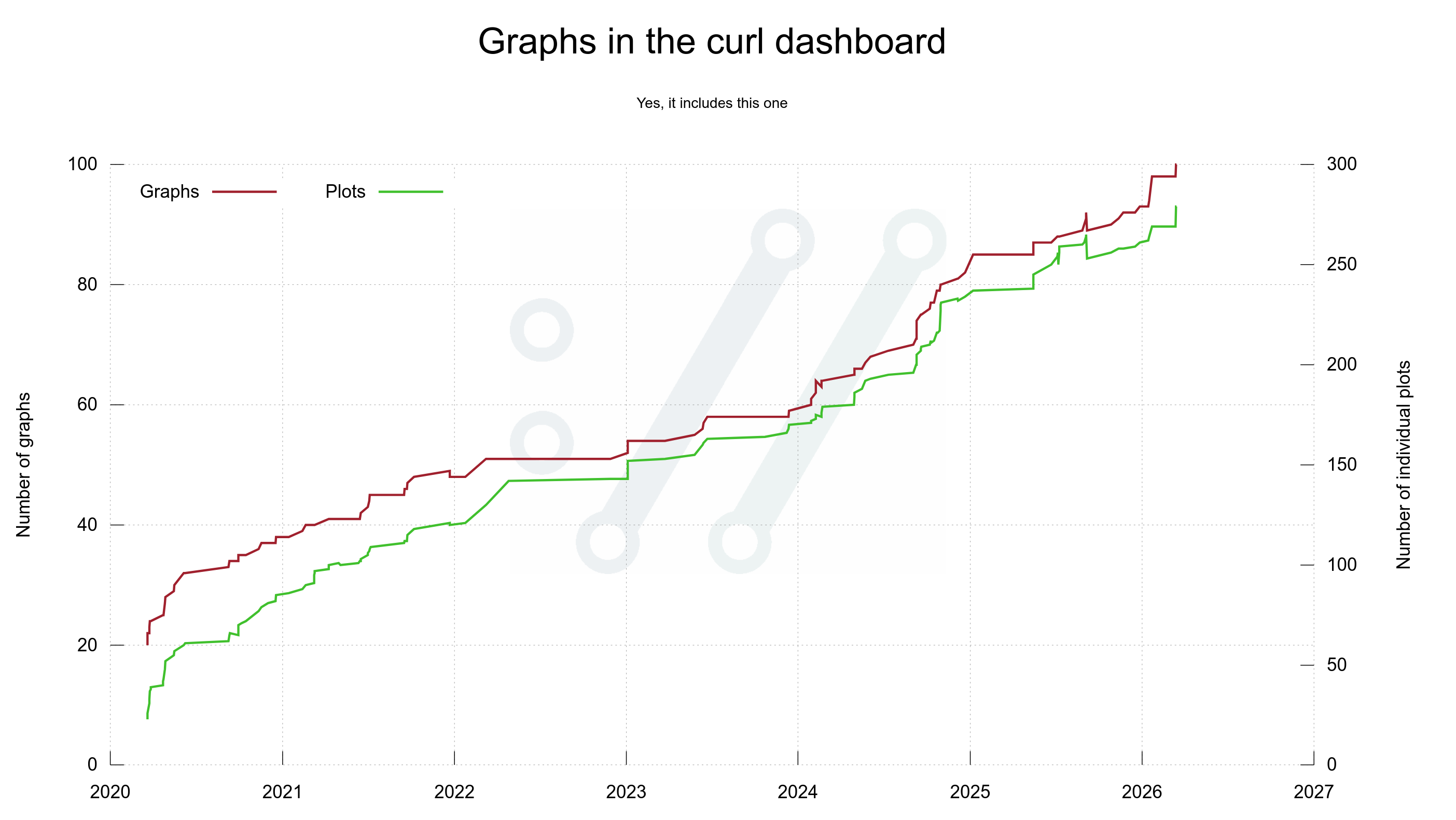
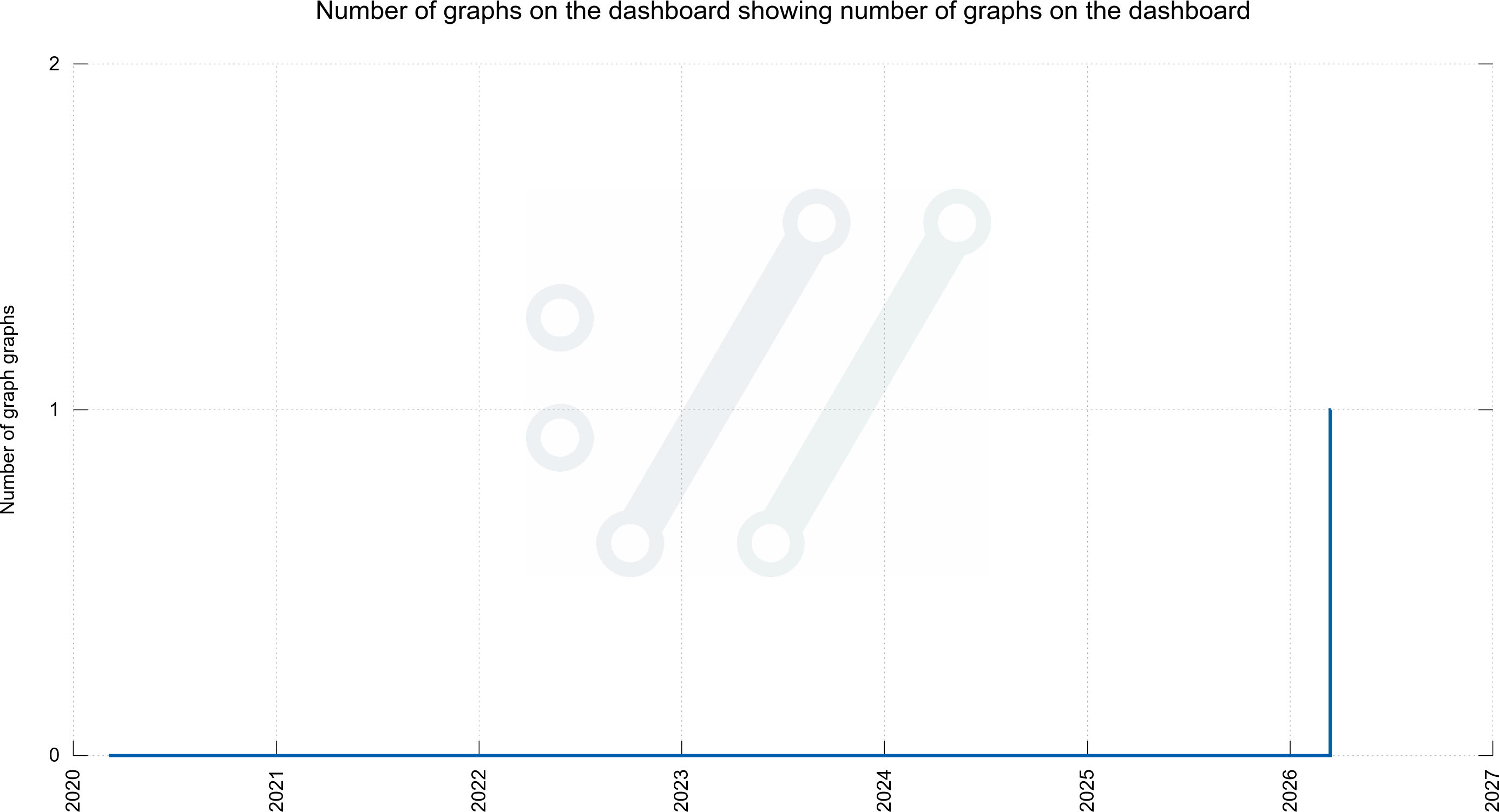
The next-level joke (although some would argue that this is not fun anymore) is then to ask me for a graph showing the number of graphs for graphs. As I aim to please, I have that as well. Although this is not on the dashboard:
More graphs
I am certain I (we?) will add more graphs over time. If you have good ideas for what source code or development details we should and could illustrate, please let me know.
Links
The git repository: https://github.com/curl/stats/
Daily updated curl dashboard: https://curl.se/dashboard.html
curl gitstats: https://curl.se/gitstats/