Spammers now subscribe

Friday, October 30th, 2009

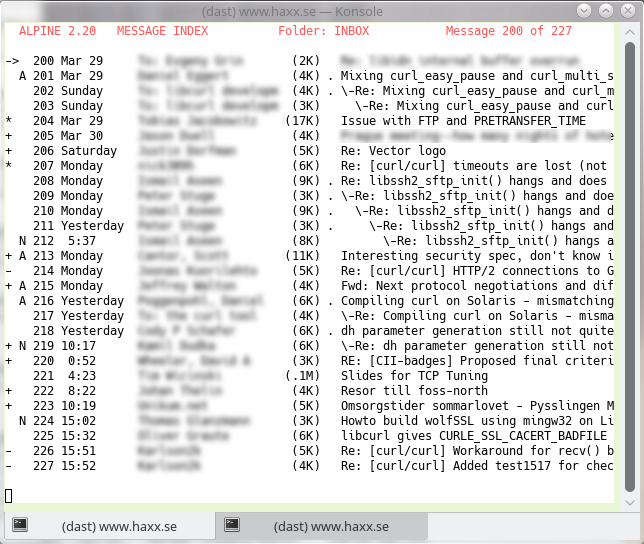
During several years I’ve been setting mailing lists I admin to only accept posts from subscribers iA can with spamn order to avoid having to deal with very large amounts of spam posts.

While that is slightly awkward to users of the list, the huge benefit for me as admin has been the deciding factor.

Recently however, I’ve noticed how this way to prevent spam on the mailing lists have started to fail more and more frequently.

Now, I see a rapid growth in spam from users who actually subscribe first and then post their spam to the list. Of course, sometimes spammers happen to just fake the from address from a member of a list – like when a spammer fakes my address and sends spam to a list I am subscribed to, but it’s quite obvious that we also see the actual original spammer join lists and send spam as well.

It makes me sad, since I figure the next step I then need to take on the mailing lists I admin is to either spam check the incoming mails with a tool like spamassassin (and risk false positives or to not trap all spams) and/or start setting new members as moderated so that I have to acknowledge their first post to the list in order to make sure they’re not spammers.

Or is there any other good idea of what I can do that I haven’t thought of?

Explanation for hjsdhjerrddf.com domains

Friday, January 23rd, 2009

In case you’ve checked some of your spam mails recently you might’ve discovered how a large amount of them include links to sites using seemingly very random names in the domain names. Like hjsdhjerrddf.com or qwetyqfweyqt.com and so on. Hammering-the-keyboard looking names.

The explanation behind these is quite simple and sad: ICANN allows for a “tasting period” before you pay for the domain. Thus spammers register all sorts of random names, spam the world with mails referring the users to these domains and then they return the domain names again before they’ve paid anything, and go on to the next names.

With a large enough set of people and programs doing this, a large amount of names will constantly be kept in use but not paid for and constantly changing owners.

Conclusion: wherever there’s a loophole in the system, someone is there to exploit it for the purpose of sending spam.

My best spam rules right now

Sunday, June 22nd, 2008

I’ve already before mentioned my antispam setup, but today I just ran a little check on my “hispam” mailbox (the spams with so high spam points that I never even bother to check them for false positives), 43MB of 7900+ spams (received during ~40 hours), to see which ones of my own handicrafted rules that get triggered the most. I use a set of 40+ custom spamassassin rules to help it trigger more mails as spam, since some of the very short mails seem to be hard to catch otherwise, and some of the mails are in many ways looking like mail I would normally get.

Anyway, my top-10 rules are:

  1. 1624 6.0 DS_BODY_DRUGBRAND      BODY: mentions drug brand
  2. 1428 6.0 DS_SUBJECT_DRUGBRAND   Subject mentions drug brand
  3. 828 6.0 DS_FROM_HAXX     spoofed haxx.se address
  4. 769 4.0 DS_BODY_DISCOUNT    BODY: mentions percent discount
  5. 745 4.0 DS_SUBJECT_DISCOUNT   subject mentions percent discount
  6. 415 2.1 DS_TO_OWNER   To contains -owner
  7. 200 6.0 DS_BODY_NODOCTOR  BODY: mentions “no doctor”
  8. 195 2.0 DS_MAILER_THEBAT  sent with the bat
  9. 189 6.0 DS_BODY_DESIGNBRANDS  BODY: mentions designer brand(s)
  10. 158 3.0 DS_BODY_REPLICAS  BODY: speaks of replicas

The first number is number of hits. The second is the “spam points” I assign a match. Then there’s the name of the rule and my description for it. The “spam points” can best be seen relative to the other rules, as what makes a single mail a spam in the end involves multiple factors that aren’t shown here.

Mail turned unreliable

Friday, May 23rd, 2008

I’ve always been proud of my ability to read and respond to email in a swift and reliable manner. I read and write emails every day, and most days I read mails more or less immediately as they land in my inbox.

However, during the recent year or so I’ve noticed that I’m no longer a reliable mail recipient. The amount of spam I get has made me tighten the screws so hard I get my share of false positives. The kind of mails that I need to rescue from my spam bin as they will otherwise suffer the death by delete. But how many do I miss? How often do I lose legitimate mails?

On some of the mailing lists I participate in, the spammers have started to send posts with my email in the From: field (circumventing the subscribers-only limitation), leading to me having to set my own mails as moderated to prevent spam to get posted… :-(

Wordpress quirks and edits

Saturday, May 10th, 2008

There’s no secret I’ve had my share of gripes with Wordpress and here comes two more:

I can’t upload images at the moment! I run the “plain” wordpress package in Debian testing and when I try to upload an image using the fancy new ajax way in 2.5, it just sits there for a while and it seems it receives the file but I don’t get the UI up that I believe I should get when the upload is completed… so I can’t confirm the upload etc so it instead it gets discarded!

I’m suffering a bit from trackback spam so I installed a plugin named Trackback Validator to help me reduce the manual work of denying them. It seems to work rather well so far in that I now no longer have to mark very many comments (trackbacks appear as comments within Wordpress) at all, but the annoying part is that even though the validator unvalidates the trackbacks I still get information mails sent out to me about them! I’ve now also enabled the Akismet plugin so let’s see what happens. Of course simply disabling trackbacks is an option that I’ll use if this doesn’t work good enough.

A funny side-effect with installing and enabling Akismet was that all of a suddent I could access comments previously marked as spam, and thus I could undo the damages from my accidental mark-as-spam-hiccup the other day!

While playing around with plugins, I also installed a gravatar plugin that shows gravatar-images for users on comments, and I installed a plugin that will automatically set my timezone correctly even when DST changes – which Wordpress can’t do by itself!

Then all of a sudden when I poked around (too much) I managed to somehow ruin the background image I use a the top of all pages on my blog. Somewhat I got a gradient there instead, which indeed is what the theme supports (the theme I use is of course a standard one but I have done some minor edits of it). Took me a while to manage to get rid of the gradient and get back image back… I had to resort to editing the PHP file for the theme!

Wordpress unmanages comments

Thursday, May 8th, 2008

Blah, so I get a large amount of spam comments and trackbacks to my blog and I go over them and mark them as spam regularly. They don’t appear on the site, they just end up in my attention queue and I need to deal with them and take care of the occasional “true” comment as well.

When I do this I press the Awaiting Moderation (15) link (assuming I have fifteen comments awaiting), select them all and then press Mark As Spam and I’m fine.

Right now I managed to error. I didn’t press the awaiting link and then I had the list of all comments shown and since there were many comments I got to see the last 20 comments or so. I selected them all (all comments on that page) and marked them as spam. Whaaaaaa. Pain! That was not very clever! Several legitimate comments now went down the drain and…

There’s no way to restore them, there’s no undo the deletion, there’s no “oh wait these aren’t spam really” way.

Grrrr. So guys, if I removed one of your comments you should know that I’m sorry. I really am. I’ll try to improve…

My Antispam Measures

Monday, January 21st, 2008

I get a fair share of spam. I have something like 10 working private email addresses, I’m listed as recipient in numerous email aliases and they all end up in the same physical mailbox where I read them. I’ve also had my existing emails for many years and I’ve shown and used them publicly on the internet all the time. I’m a major spam email target now. A good day I get just 2000 spams, but bad days I’ve been well over 13000 spam emails.A can with spam

My biggest friends in this combat are: spamassassin and procmail.

I’ll describe how I have things setup, not as much as to inspire others but more to be able to get feedback from you on how I can or perhaps should improve my setup to get an even better email life.

  • I consider all mails with spam points >= 3 to be spam. I’ve also tweaked my spamassassin user_prefs to be harsher on (pure) HTML mail and a few other rules, and I’ve added a couple of my own rules to catch spams that previously did slip through a little too easy.
  • First, I filter out mail from trusted mailing lists that have their own antispam measures.
  • I catch what appears to be bounces (I have a huge regex) and if it looks like a bounce to an address I don’t send email from I nuke it immediately (and those could be a true bounce are saved in a dedicated mbox)
  • I have a white-list system that marks all incoming mails from previously marked friends as coming from a friend.
  • Mails from non-friends are passed through spamassassin. Those with spam points higher than N are put in the ‘hispam’ folder – of course with the intention that these are very very very unlikely to every have any false positives and can almost surely be deleted without check. N is currently 10 but I ponder on lowering it somewhat. Spams with less points than N are put in the ’spam’ folder, and I need to check that before I kill it because it happens that I get occasional false positives that end up there.
  • So, mails that aren’t from friends (or from a trusted mailing list) and aren’t marked as spam are then stored in the ’suspicious’ mailbox
  • Mails from friends or from trusted lists go directly into my mailbox, or into a dedicated mailbox (for lists with somewhat high traffic volumes).
  • Oh, a little additional detail: I “mark” my own outgoing mails with an additional custom header with no point whatsoever but to be able to detect when someone/something sends me mail using my own address…

My weakest point in all this right now is the fact that I don’t spam-check white-listed mails at all, so spams that are sent to me using my friends’ email addresses go through and annoy me.

BTW, I did use bogofilter in the past and for a while I actually ran both in parallel (both trained with rougly the same spam/ham boxes for the Bayes stuff) but quite heavily testing I performed at that time (a few years ago) showed that spamassissin caught a lot more spams than bogofilter, while bogofilter only caught a few extra so I dropped it then.