Category Archives: Technology

Really everything related to technology

Who’s 0xabadbabe and why?

It is Friday after all, so I’ll offer this little glimpse as an example from what I do at work…

A while ago, I was working for a customer (who shall remain unnamed here, but let’s call it Intel) doing system simulation software. I worked on this project for a year or so. I ran full x86 systems completely simulated. During that time I was chasing some nasty bugs in the simulated usb-disk device that caused my Windows boot to end up in a blue screen.

I struggled to figure out why Windows 7 would write 0xABADBABE to EHCI register index 0x1C – which is a reserved register – during boot some 10 milliseconds before the blue screen appears, and I was convinced that it was due to a flaw in the EHCI simulation code and thus was the first indication of the failure. If I didn’t have any simulated usb-disk inserted that write wouldn’t occur, and similarly that write would occur even if I inserted the usb-disk much later – like even after Windows 7 had started and I was passed the login screen.

An interesting exercise is to grep for this (little-endian so twist it around!) 32 bit pattern in a freshly installed windows 7 file system – I found it on no less than 16 places in a 20GB file system. This bgrep utility was handy for this.

To properly disassemble that code, I hacked up a quick bcut tool so that I could cut out a suitable piece of the 20GB file to pass to objdump, as objdump very inconveniently does not offer an option to skip an arbitrary amount from the beginning of a file! Also, as it is not really possible to easily tell on which byte x86 code starts at, I had to be able to fine-adjust the beginning of the cut so that objdump would show correctly (this is x86-64):

      callq  *0x9061(%rip)        # 0x9080
      mov    0x40(%rsi),%r11d
      mov    %rsi,0x58(%rdi)
      mov    %r11d,(%rdi)
      mov    0x40(%rsi),%eax
      mov    %rsi,0x60(%rdi)
      mov    %eax,0x4(%rdi)
      mov    0xa0(%r13),%rax
      movl   $0xabadbabe,0x1c(%rax)

But then, reading that code never gave me enough clues to figure out why the offending MOV is made.

Thanks to a friend with a good eye and useful resources, I finally learned that Windows does this write on purpose to offer some kind of break-point for a debugger. It always does this (assuming a USB device or something is attached)!

A red herring as far as I’m concerned. Nothing to bother about, just MOV on! I simply made the simulation accept this.

Oh. You want to know what happened to the blue screen? It had nothing at all to do with the bad babe constant, but turned out to be because the ehci driver finds out that some USB data structs the controller fills in get pointers that point to memory outside of the area the driver has mapped for this purpose. In other words it was a really hard to track down bug in the simulated device.

Hear me talk at FSCONS 2011

First, allow me to mention that I like FSCONS. I’ve been there several years, I’ve spoken there every year I’ve been there and I know and like a bunch of the persons in the team putting it together. Good stuff!

I wasn’t supposed to do any talk at FSCONS this year, and I did feel a little empty and lost because of it.

FSCONS… then an empty slot appeared, a question was asked, a subject was suggested and suddenly I ended up having agreed to do a talk and the void has been filled again. I’m glad. I hope someone else will be too and I will try to excite the audience with a talk titled “SPDY: An experimental protocol for a faster web” or something like that. It will have to do for now. It is currently planned to take place at 17:15 on Saturday 12th of November.

My thinking is to explain SPDY in detail, explain the reasoning behind it, the problems that have lead up to its creation and I’ll try to shed the lights on the alternatives and make some guesses what I think the future will hold in terms of web transports and what we will NOT see… I might even manage to acquire further insights of this from my ventures into libspdy.

If you have any related thoughts or questions, feel free to ask me ahead of time and I might be able to adjust my talk for it.

libspdy

SPDY is a neat new protocol and possible contender to replace HTTP – at least in some areas and for some use cases. SPDY has been invented and developed mostly by Google engineers.

SPDY allows better usage of fewer TCP connections (since it sends multiple logical streams over a single physical TCP connection) and it helps clients overcome problems with TCP (like how a new connection starts slowly) while at the same time reducing latency and bandwidth requirements. Very similar to how channels are handled over an SSH connection.SPDY

Chrome of course already supports SPDY and Firefox has some early experimental support being worked on.

Of course there are also legitimate criticisms against SPDY as well, including subjects like how it makes caching proxies impossible (because everything goes over SSL), how it makes debugging a lot harder by using compressed headers, how it is impossible to extract just a single header from the stream due to its compression approach and how the compression state buffers make each individual stream use more memory than plain old HTTP (plain TCP) ones.

We can expect SPDY<=>HTTP gateways to appear so that nobody gets locked into either side of these protocols.

SPDY will provide faster transfers. libcurl is currently used for speed reasons in many cases. To me, it makes perfect sense to have libcurl use and try to use SPDY instead of HTTP exactly like how the browsers are starting to do it, so that the libcurl using applications will get their contents transferred faster.

My thinking is that we introduce some new magic option(s) that makes libcurl use SPDY, and for normal easy interface transfers it will remain to use a single connection for each new SPDY transfer, but if you use the multi interface and you enable pipelining you’ll instead make libcurl do multiple transfers over the same single SPDY connection (as long as you speak with the same server and port etc). From an application’s stand-point it shouldn’t make any difference, apart from being faster than otherwise. Just like we want it!

Implementation wise, I would like to use a reliable and efficient third-party library for the actual SPDY implementation. If there doesn’t exist any, we make one and run that one independently. I found libspdy, but I found some concerns about it (no mailing list, looks like one-man project, not C89 compliant, no API docs etc). I mailed the libspdy author, I hoping we’d sort out my doubts and then I’d base my continued work on that library.

After some time Thomas Roth, primary libspdy author, responded and during our subsequent email exchange I’ve gotten a restored faith and belief in this library and its direction. Not only did he fix the C89 compliance pretty quickly, he is also promising rather big changes that are pending to get committed within a week or so.

Comforted by what I’ve learned from Thomas, I’ll wait for his upcoming changes and I’ll join the soon to be created mailing list for the libspdy project and I’ll contribute some ideas and efforts to help shape it into the fine SPDY library we all want. I can only encourage other fellow SPDY library interested persons to do the same!

Updated: Join the SPDY library development

Network hardware deaths

Things went southwards already this morning. My wife was about to work from home and called me before 8am asking for help to get online as the wireless Internet access setup didn’t work for her.

As this has happened at some occasions before she knew she might need to reboot the wifi router to get things running again. So she did. Only this time, when she inserted the power plug again there was not a single LED turning on. None. She yanked it out again and re-inserted it. Nothing.

Okay, so she was not able to use the wifi and the router was dead.

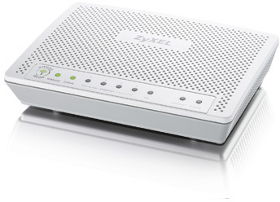
At lunch, I took a short walk in the sunshine to my nearest “Kjell & Co” and got myself a new wifi router and brought it back with me home after work and immediately replaced the dead one with the new shiny one. I ran upstairs (most of my network gear is under the staircase on the bottom floor while my main computer andlink DIR 635d work space is on the upper floor), configured the new router with the static IP and those things that need to be there and…

…weird, I still can’t access the Internet!

I then decided to do the power recycle dance with the ADSL modem as well. I could see how the “WAN” led blinked, turned stable and then I could actually successfully send several ping packets (that got responses) before the connection broke again and the WAN led on the modem was again switched off. I retried the power cycle procedure but the led stayed off.

I called customer support for my ADSL service (Bredbandsbolaget) and they immediately spotted how old my modem is, indicating that it was probably the reason for the failure and set me up to receive a free replacement unit within 2-3 days.

This left me with several problems still nudging my brain:

  1. Why would suddenly two devices standing next to each other, connected with a cat5, break on the same day when they both have been running flawlessly like this for years? I had perfect network access when I went to bed last night and there were no power outages, lightning strikes or similar.
  2. Why and how could the customer service so quickly judge that the reason was the age of my modem? I get the sense they just knee-jerk the replacement unit because of the age of mine and there’s a rather big risk that when I plug in the new modem in a few days it will show the same symptoms…
  3. 2-3 days!! Gaaaah. Thank God I can tether with my phone, but man 3G may be nice and all but its not like my trusty old 12mbit ADSL I tend to get. Not to mention that the RTT is much worse and that’s a factor for me who use quite a lot of SSH to remote machines.

I guess I will find out when the new hardware arrives. I may get reason to write a follow-up then. I hope not!

Update on September 23rd:

A new ADSL modem arrived just two days after my call and yay, it could sync and I could use internet. Unfortunately something was still wrong though as my telephone didn’t work (I have a IP-telephony service that goes through the ADSL box). I took me until Sunday to call customer service again, and on Tuesday a second replace modem arrived which I installed on Thursday and… now even the phone works!

I never figured out why both devices died, but the end result is that my 802.11n wifi works properly with speeds above 6.5MB/sec in my house.

generic opt-in spam lists don’t exist

The last couple of days I’ve received a number of Swedish spam emails and I started digging up the Swedish companies behind them. The vast majority of all spams I get and have gotten during the years are English, so the Swedish ones stand out and they are a relatively new thing.

There seems to be a range of companies that now offer “email marketing” as a service to other companies. And there are lots of companies apparently willing to use such services. The other day the somewhat respected ISP company Crystone for example went ahead and spammed “a few hundred K recipients (link to a Swedish-speaking forum). I’ve long been annoyed by the repeated spam mails I get from the company Jajja, which apart from being in the snake oil business (SEO) seems to be a legitimate business that wants to be taken seriously. Of course, they have a shady history of bad business ethics (link to Swedish article about Jajja doing blog-comment spamming in 2007).

A can with spamCrystone’s excuse for their spam outburst was that they had bought this list of “verified” and “opt-in” addresses (from big-time spammer company mailcom.se) so they were quite surprised when large amounts of people started complaining and whining about their spam. mailcom.se, unsurprisingly, on their site boast to also have Jajja as customers. I have emailed mailcom.se and complained in strongly worded terms. I expect no response or effect.

Hejsan

Detta är ett av tjogtals (hundratals?) spam email jag fått från er. Ni har hittat/köpt denna email-address genom web-scraping och ni och era kunder är inget annat än spammare. Det är illegalt i Sverige och att betrakta som ett vedervärt sätt att försöka marknadsföra någonting.

Fy skäms!

The above is the email text I sent. It could be translated into English like:

Hello

This is one of the many (hundreds?) spam emails I’ve received from you. You found / bought this email address by web-scraping and you and your customers are nothing but spammers. It is illegal in Sweden and to be regarded as a horrible way of trying to market anything.

Shame on you!

Newsflash: there is no such thing as a blanket list with verified and opt-in email addresses. You may get people to opt-in for a particular and well explained purpose, but nobody ever asked anyone if they wanted to get stupid market emails from Crystone without compensation. Who would have opted-in to something like that?

Legality? People here in Sweden are quick to point out that sending market emails to companies and other business is not illegal here. Although, as is easily proven, these guys don’t know who they target as their list clearly is created by old fashioned web scraping techniques and they send to anyone, individuals and companies – without discrimination. Besides, my biggest complaints against spam is that it is a nuisance and a pain, if it is illegal or not is not the biggest concern to me. Spam is spam no matter what.

I’ve also explicitly tweeted about the spam service provided by quicknet.se. They’re at least somewhat open about it and add a header in their outgoing mails claiming them to be from “QuicNet_AB” (notice how the letter k is absent). I’ve received several spams via their domain gallerian.org so there’s no doubt who’s behind them. These mails also have ended up targeted to email addresses that are without any doubt harvested from the web. An employee of quicknet responded to me (in Swedish), apparently surprised by my allegations but I’ve received no further info. But frankly, I don’t care what excuse they can come up with. It will only be something lame as this is not a mistake.

Other seemingly popular Swedish spam companies include epostservice.se/com, epostarna.se and so on. I wish more people will react on the spam and object to the companies that buy these services (in good faith or not) and to the companies that provide these services. Tell them it’s all spam, no matter what excuses they can figure out!

PS. Yes, this is the same Crystone I’ve written about before

I like a good firmware bump

So I have this TV that I got for Christmas 2009. As it happens the guys at Philips clearly kept fixing the software and removed bugs after that moment. No surprise there really. I’ve been an embedded software developer for some twenty years by now. I know that software never gets “done” and that what ships in products is only what seems to be “good enough” at some point in time. Sometimes of course not even that good.

So the other day I took a photo of my TV firmware version. It shows how the firmware was made in April 2009. I did it during a discussion with a friend who happens to have the exact same TV as I do, and it then of course turns out he has a different (newer) firmware.

Oh right, I wonder if I can upgrade to a newer one? Once I’ve mastered the maze of the Philips web site I eventually found a download link and PDFs that told me how to. The list of fixes since my version was extensive and I noticed a few flaws mentioned that I have actually experienced!

The TV firmware download was a whopping 43MB. I realize this is because it is a full-fledged Linux system with kernel and God knows what else they’ve crammed in there. I decided to give it a closer check! The result of that was a little disappointing. It is quite clearly encrypted after some basic initial header.

hexdump -C firmware image

The data that starts on offset 0x220 is not x86 instructions and in fact nothing in the beginning of the file looks like x86 code (I just ran a quick “objdump -D –target binary -m i386” on the file). Of course, I don’t know what architecture my TV runs so perhaps even checking for x86 is wrong. I know MIPS is popular in DVDs, settop-boxes and related graphics stuff but…. Nah, I decided it really wasn’t worth the effort so I stopped investigating. I have no real intention of hacking on it anyway.

So I instead proceeded to the actual procedure of upgrading the thing.

Unzip the zip file and put the file in the root dir of a FAT32-formatted usb-stick. The instructions of course didn’t say it needs to be FAT32 but I used that and it worked, and I just smug in the dark to how a manufacturer like this just assumes that we would have FAT32 on our usb-sticks…

But I digress. When I inserted the upgrade USB, the TV switched itself off, was dark for a short while and then turned itself on again and showed the firmware upgrade screen.

The process was very fast, just like 30-40 seconds or something like that and then it was done and asked me to remove the “media” and restart. Of course we know that a usb stick is “media” so I removed it from the TV set.

The instructions were very clear that to “restart” the TV I must only press the ON/OFF button on the remote once and only once. So I was careful to do just that… 😉

Nothing strange happened, but after a brief moment of black screen the regular and familiar interface.

I jumped into the firmware version menu to check it out and yes, it shows an updated version now:

I did a quick check to see if I could detect my previous quirks now, but they may really be gone. They’ve been related to sound through HDMI and some graphical “glitches” when feeding the TV with full HD from a laptop.

So, with this firmware that was shipped many months after I got my TV, I seem to have gotten a better product.

I haven’t yet tested this new version to a significant degree so I don’t know yet if I’ve gotten some new nasty side-effects from it, as sometimes these kinds of firmware upgrades really cause you pain when something that formerly used to work so good suddenly turns out to not work that good any longer.

What SOCKS is good for

You ever wondered what SOCKS is good for these days?

To help us use the Internet better without having the surrounding be able to watch us as much as otherwise!

There’s basically two good scenarios and use areas for us ordinary people to use SOCKS:

  1. You’re a consultant or you’re doing some kind of work and you are physically connected to a customer’s or a friend’s network. You access the big bad Internet via their proxy or entirely proxy-less using their equipment and cables. This allows the network admin(s) to capture and snoop on your network traffic, be it on purpose or by mistake, as long as you don’t use HTTPS or other secure mechanisms. When surfing the web, it is very easily made to drop out of HTTPS and into HTTP by mistake. Also, even if you HTTPS to the world, the name resolves and more are still done unencrypted and will leak information.
  2. You’re using an open wifi network that isn’t using a secure encryption. Anyone else on that same area can basically capture anything you send and receive.

What you need to set it up? You run

ssh -D 8080 myname@myserver.example.com

… and once you’ve connected, you make sure that you change the network settings of your favourite programs (browsers, IRC clients, mail reader, etc) to reach the Internet using the SOCKS proxy on localhost port 8080. Now you’re done.

Now all your traffic will reach the Internet via your remote server and all traffic between that and your local machine is sent encrypted and secure. This of course requires that you have a server running OpenSSH somewhere, but don’t we all?

If you are behind another proxy in the first place, it gets a little more complicated but still perfectly doable. See my separate SSH through or over proxy document for details.

Open fibre

One of the big telecom operators in Sweden, Telia, has started to offer “fibre to the house”- called “Öppen Fiber” in Swedish – and I’ve signed up for it. They’re investing 5 billion SEK into building fibre infrastructure and I happen to live in an area which is among the first ones in Sweden that gets the chance to participate. What’s in this blog post is information as I’ve received and understood it. I will of course follow-up in the future and tell how it all turns out in reality.

Copper is a Dead End

fiber cableI have my own house. My thinking is that copper-based technologies such as the up-to-24mbit-but-really-12mbit ADSL (I have some 700 meters or so to the nearest station) I have now has reached something of an end of the road. I had 3 mbit/sec ADSL almost ten years ago: obviously not a lot of improvement is happening in this area. We need to look elsewhere in order to up our connection speeds. I think getting a proper fibre connection to the house will be a good thing for years to come. I don’t expect wireless/radio techniques to be able to compete properly, at least not within the next coming years.

Open

This is an “open fibre” in the sense that Telia will install and own the physical fibre and installation but they will not run any services on top of it. I will then buy my internet services, TV and telephone services (should I decide that TV and phone over the fibre is desirable) from the selection of service companies that decide to join in and compete for my money.

Installation

They’re promising delivery “before the end of the year”. I won’t even get an estimated installation date until around mid August. If an existing tube doesn’t exist for the copper or electricity that they can use to push the fibre through, they will dig. From the road outside my house to my building, across whatever land that exists there. They need to dig roughly 40 cm deep. The fibre is terminated inside the house (a maximum of 5 meter inside the building) in a small “media converter” box which basically converts from fibre to a RJ45 network plug. It is the size of a regular small switch or so. It is claimed to be possible to get a different “box” that provide a direct fibre plug of some sorts for the people who may already have fibre installed in their houses. I currently have a burglar alarm in my house that uses the current phone connection which I’ll need to get either just dumped completely or converted over to use a telephone-over-fibre concept. I don’t plan on paying for or using any copper-based service once the fibre gets here. (There’s however no way to use the Swedish tax deduction “rot-avdrag”.)

Price

dlink DIR 635There’s no monthly fee for the fibre, I only pay a one-time installation fee of 16700 SEK (roughly 1800 Euros) to get it. I then of course will have to pay for the services if I want to actually use the installation but until I do there are no fees involved. This price is actually fixed and the same for all the houses in my area that got this deal. At August 15th the deal ends and they’ll increase the installation price to 26700 SEK. Given the amount of work they have to put in for each new customer, I don’t really consider this price to be steep. A lot of money, sure, but also quite a lot of value.

Speeds to expect

The physical speed between my house and the other end (some kind of fibre termination station somewhere) will be exactly 1000mbit/sec and no more “up to” phrasing or similar in the contract. Of course, that’s just the physical speed that is used and with this equipment the network cannot be any faster than 1000 mbit. There will then be ISPs that offer an internet connection, and they may very well offer lower speeds and even varying different speeds at different tariffs. Right now, other fibre installations done by Telia seem to get offered up to 100/100 mbit connections. As this is then not a physical maximum, it should allow for future increasing without much problems. The 1000 mbit/sec speed over the fibre is a limitation in the actual installed hardware (not the fibre) so in the future Telia can indeed replace the media converters in both ends and bump the speed up significantly should they want to and feel that there’s business in doing so. My current D-Link wifi router only has 100 mbit WAN support so clearly I’ll have to replace that if I go beyond.

IPv6

Seriously, I believe I may be closer to actually get a real IPv6 offer using this than with ADSL here in Sweden. I haven’t really investigated this for real though.

Update

December 16th: I got a mail from Telia today that informed me that the installation in my area has been delayed so it won’t happen until Q2 2012! 🙁

Remove your software

Another one of those emails arrived in my inbox today:

Subject: Remove:

Your software needs to be removed from my work computer. I did not install it, I do not want it and did not request it.
[name redacted]

No mention what software or indication of what platform or what might’ve happened when my software allegedly ended up in the person’s computer. Not very friendly either.

Again I suspect that there’s some software that uses curl in some way, but I can’t tell for sure…

I replied to it, saying that I didn’t install anything on his computer.

Pointless respecifying FTP URI

There’s this person wiIETFthin IETF who seems to possess endless energy and a never-ending wish to clean up tiny details within the IETF processes. He continuously digs up specifications that need to be registered or submitted again somewhere due to some process. Often under loud protests from fellow IETFers since it steals time and energy from people on the lists for discussions and reviews – only to satisfy some administrative detail. Time and energy perhaps better spent on things like new protocols and interesting new technologies.

This time, he has deemed that the FTP a FILE URI specs need to be registered properly, and alas he has submitted his first suggested update of the FTP URI.

From my work with curl I have of course figured out a few problems with RFC1738 that I don’t think we should just repeat in a new version of the spec. It turns out I’m not alone in thinking this work isn’t really good like this, and I posted a second mail to clarify my points.

We’re not working on fixing the problems with FTP URIs that are present in RFC1738 so just rephrasing those into a new spec is a bad idea.

We could possibly start the work on fixing the problems, but so far I’ve seen no such will or efforts and I don’t plan on pushing for that myself either.

Please tell me or the ftpext2 group where I or the others are wrong or right or whatever!