Archive for the ‘Electronics’ Category

Mini 2440 Lyre

Tuesday, September 29th, 2009

On ebay there’s a fancy S3C244-based board named mini 2440 with a 3.5″ touch LCD attached on sale for 85 USD. 64MB ram, 400MHz CPU, a nand flash and more. Lots of stuff for the money.

mini2440

The guys in the lyre project seem to have adopted this as yet another hardware platform to attempt to run Rockbox on. After their Atmel AT91SAM target was ditched, they went the ARMopendous route and now this seems to have entered. This third hardware platform is called the Lyre prototype 2

You should note that this Mini 2440 board has no batteries or anything and thus is not really meant to be a portable device in this shape.

“Bob” seems to have initial Rockbox code running on this device, and well-established Rockbox hackers JdGordon and domonoky have both ordered their own kits so the future looks bright.

Sandisk: “our sound fidelity isn’t perfect”

Thursday, September 24th, 2009

Some owners of the SansSanDisk Sansa Clipa Clip player from SanDisk noticed that it does playback of all songs with a minor pitch. Due to a flawed HW setup they don’t do a proper 44,100 Hz but instead 43,791 Hz (0.993 times the target value) or something like that. According to some sources this problem might be fixed in the Sansa Fuze players now.

Bugs aren’t really so surprising, perhaps what is surprising is that this bug has been around now for almost two years. To make matters worse, SanDisk now decided that due to them making cheap players people shouldn’t expect them to be very good sound quality wise and therefore they can simply not fix the problems:

due to trade-off decisions that were made in engineering these products to deliver superior consumer value at what we believe are extremely attractive price points, our sound fidelity isn’t perfect.  We have re-evaluated the possibility of reducing the pitch variation and due to the engineering trade-offs the decision was made to stay with the current design. Very few listeners, however, have noticed or complained about it as an issue in actual practice.  For those who can detect sound differences with their naked ears during actual use and not via frequency analysis, our products may not be the best choice for them.

Clip owners out there now put their hope even more on Rockbox for Clip.


Concepts of a new distributed build

Sunday, July 5th, 2009

It was time to make an overhaul of our distributed builds system for Rockbox. The one currently in place is quite fancy and it does build 106 builds in around 7-8 minutes, but during the years it has served us we have found a few areas where we want to improve.

The goals for the new system were primarily:

  • do all the builds faster
  • reverse the connection so that people can contribute clients easier
  • make a system that is more allowing for slower machines to contribute

The biggest weaknesses of the existing system:

  • The master uses ssh to the distributed clients, which forces them to have an accessible ssh server and port etc. It also makes it awkward for people behind NATs who wants to run more clients.
  • It only hands out a particular build to one client, so thus if a large build happens to get handed to a slow client towards the end of a build round, all the other clients will sit idle waiting for the last client to finish.
  • The build and the subsequent upload of results to the master are synchronous, so thus a client with a very slow uplink may spend a significant time on the upload before it can start the next build.

The  new system is currently in development. It consists of a server that runs on one of our main servers, and there’s a client script that each volunteer contributor runs on their systems.

The clients connect to the master on a dedicated TCP port, specifying user name, password, name of the particular client instance, what particular architectures the client can build and how many bogomips the client boasts. While bogomips is a bogus way to measure anything, we’ve started out using it for a rough way to sort the the build clients based on speed.

The clients keep connected to the server all the time. There’s a ping message from the master every N second of idleness to make sure the connection is kept alive. As soon as the master wants the client to do a build, it sends a message to it detailing exactly how it should build it and using what SVN revision. The client will then do the build at once, upload the results using HTTP to a dedicated place and then tell the server the build is complete.

The server knows about all builds to do at a  commit, what we call a build round. It has a rough “score” or “weight” for each build that grades them in a slow to fast order. When a build round starts, the server will first sort all builds based on number of times they’ve been handed out and as secondary sort key the “weight” of it. Then it loops over the currently connected build clients and hand out builds from the sorted build table. The server then continues to do that until all clients have three builds each to build. As soon as a build is reported to have been completed by a client, that client will get the next build from the sorted build list.

If a client connects to the server and the server deems the client to be too old (since it does specify its version in the handshake message), it will be told to update to a specific version instead and come back then. This way the server can update all build clients when important things are fixed.

The clients will soon start to get assigned builds that already have been assigned to another client. This is not a problem but in fact our intention. The client that completes the build first will simply tell the server, and the server will then tell all the other clients that build that same build that they should cancel that particular build.

A client that joins the server in the middle of a build round will simply get a bunch of builds immediately and join in. A client that disconnects during a build round simply won’t complete its builds and other clients will instead do them. The system is also tolerant against the fact that bogomips is lame to compare computers with, and that the build “score” may not be very accurate or even that some server will have very slow or very fast upload speeds at unpredictable times.

The build master itself does not know when to start a new build round. It simply knows about the concept and it knows how to tell clients to complete a round. To make the master to start a new round, you need to connect to the server’s listening port and issue a special command and provide a password and then you can tell the server to start a build of a specific SVN revision. Or to queue up a build to be performed after the current one if there happens to be one in progress already.

When a full build round is complete, a hundred or so builds have been done, and full packages and log files are now in a directory on the build server, the server will simply trigger an external script that then takes care of updating our build table etc. In fact, every single completed build will optionally trigger an external script to allow web pages or stats pages to get updated as we go.

This build system is currently pretty Rockbox-specific as this is the project and development system we’re writing this for, but there’s really nothing in this that must be this way. I’m sure that if someone (you?) wants to adapt this for another project, I’d be more than happy to assist and to help ensuring that this becomes a more generic distributed build system. Just raise your hand and step forward!

At the time of this writing, (primarily) me and Björn are still ironing out quirks in this new system to hopefully get it going live real soon…

Rockbox

Kernels on those phones

Thursday, June 11th, 2009

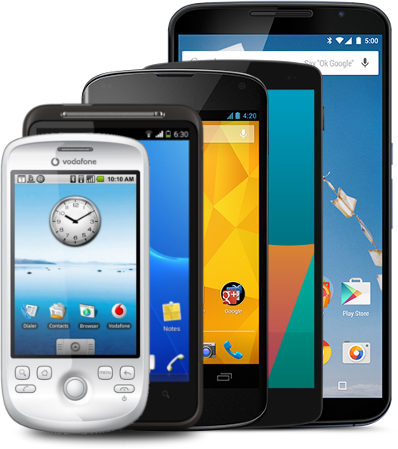
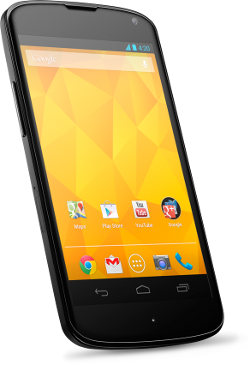
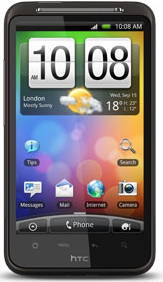
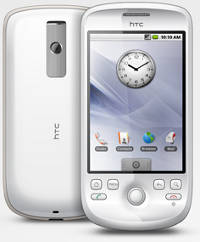
So Google says there could be 18 phones running Android by the end of this year. In Sweden we just days ago got HTC Magic, the first ever Android phone showing up here (tied to a ridiculous operator deal that makes me and lots of my friends not go that route). Then Palm shipped their Palm Pre just days ago, also based on Linux.

This has brought the interesting questions: how is the state of these kernel HTC Magicports in regards to the mainline Linux tree? They’re both using ARM cores (of course).

The ARM kernel maintainer Russell King himself is not impressed. Apparently Google hasn’t even tried to push their work upstream to the kernel in a long while. The tone in that discussion did make it sound as if they might be starting to work on this again now.

The Palm guys apparently haven’t even yet shown any code at all, but is said to be releasing their code within two weeks to opensource.palm.com.  They have not even tried to push their work upstream, so I figure they’re either not even going to bother or they are facing a rather steep uphill battle in the future.

Lyre

Wednesday, June 10th, 2009

I’ve previously blogged about the initiative to build an own open hardware platform that can run Rockbox fine, and just today I noticed their new site is up and alive at:

http://lyre.sourceforge.net/

The hardware has changed quite significantly since the last blog entry of mine, and they’re now using a LPC3130 from NXP instead of the Atmel they had before, and I believe they’ve also changed codec/DAC etc. Me knowingly, Rockbox does not yet run on this newly produced board.

Lyre PCB

I should probably also add that this board is of course still quite far from being portable and there’s no news or info anywhere on how or if you can actually get one of these yourself yet.

Eeepc with Linux and Swedish 3g

Monday, June 1st, 2009

This is a follow-up on my “getting the new toy” from a week or so ago. An Eee PC S101.

I didn’t like easypeasy on it. It seems that distro is more or less Ubuntu Netbook Remix (UNR) with a little EEE flavor applied. What’s not to like about it? They seem to think that because this is a netbook, normal UI guidelines no longer apply so therefore they’ve scrapped the ordinary main desktop (and its menu) concept and instead have a new full-screen “app launcher”. That’s not too shabby, but it comes with another idea that I can’t accept: they run all applications in full-screen mode by default.md400 And I couldn’t figure out how to alter that default.

Full-screen might be fine for some apps at some times, but then I’d like to explicitly ask for it instead of having to learn now to “unmaximize” each app (they’ve also removed/altered the window decorations so there are no standard three buttons on the upper right corner of the maximized windows). To top it off, it seemed that the latest easypeasy isn’t built with the latest ubuntu and thus it failed to connect with my 3g modem…

Instead I took the base version of eeebuntu for a spin and that is so much closer to what I want in a linux. It’s ‘base’ so it only comes with the bare minimum. It has no fancy alternative UI but relies on the traditional well-proven and by me liked X11 (gnome) desktop.

I inserted my Sony Ericsson MD400 USB 3g modem that I got from Telenor/Bredbandsbolaget and within a few seconds I was online. It couldn’t have been a much smoother ride.

I know people have expressed opinions that it’s a better idea to use laptops/netbooks with an internal 3g modem so that you don’t have to use any external devices so that it’ll be more slick and all. I think I was of that opinion as well until I got this usb thing in my hand. It’s basically just a tad larger than any ordinary USB memory stick (70 x 28 x 15 mm) so it’s really not much “in the way” or disturbing when inserted in a laptop and it comes with windows drivers on it (as it dual-serves as a usb mass-storage device as well). It makes it a perfect little device to move between different laptops. We have so far three laptops in our household and now I can get any of them onto 3g if I want to.

A little side-note on my eeebuntu install on the SD card: when I ran unetbootin I selected to install the “live/install” version on the hard drive (which of course is a SSD but anyway) to then install it on my SDHC card, but it simply wouldn’t work. I tried three times and every time it froze somewhere in the middle of the install. When I then re-ran unetbootin and made a boot usb stick, and then ran from there instead when I did the install, it worked perfectly…

More HD sound

Wednesday, May 27th, 2009

Proving my point from before that everything wants to be “HD” these days, I read the Zune HD specs that come out recently and in that I found out that it claims to support HD radio. Amusingly enough, it does not claim mp3hd support which probably would’ve made the buzzword bingo crowds go wild. We can always hope for the next model! :-)

So what is HD radio? The site says:

Instead of sending out one analog signal, stations send out a bundled signal – both analog and digital. Because it is digital, textual data such as traffic, stock info and song titles can be sent out, as well.

From what I understand, pretty much the same way RDS is already done.

The technology is not even new. The site lists news items from 2006 and yet I’ve never heard of it before. They claim FM stations get “CD-quality sound” and (as I find pretty funny) AM stations get “FM-quality sound”. What is “CD-quality” in this context I wonder? I find no mention or details on what exact codecs or bitrates etc they use. Wikipedia’s page to the rescue: it says you get approximately 100-150 kbps of a lossy “proprietary iBiquity HDC codec” which claims to be able to provide “CD quality as low as 64 kbit/s”. Somehow I think that sounds a little too good to be true. According to wikipedia HD radio beats DAB in audio quality.

And to top it all of, the FAQ describes what the HD means:

It does not mean either hybrid digital or high definition, it is simply the branding language for this new technology.

Personally I’ll just rather go IP all the way and stream my music/radio/video over that. I think media or content-specific transfer mediums/concepts of this kind are technologies of the past. For this reason, I don’t think DAB+ will have much of a future either.

Rockbox gsoc2009

Tuesday, April 21st, 2009

So finally it went public that this year Rockbox will be mentoring five students to reach their

individual goals and get their projects turned into realities.Gsoc 2009

The projects are new codecs, one is a new port, one is USB HID work and finally there’s this “make Rockbox an instrument” project.

Personally I’m admin for Rockbox gsoc effort for the third year, and this year I’m also co-mentoring a student (Robert Keevil) in his project to bring Rockbox to the Sansa View.

Let’s make this a great gsoc year!

USB converter woes

Thursday, April 16th, 2009

USB to rs232 converters are just never sold properly advertising what chip’s inside and right now I want to know if this one UART I’m working with perhaps is not playing fine with my existing converter cable.

I have this XScale PXA270 on a toradex-colibriboard, and it has only one full featured RS232 (FFUART) and I’m about to move things over to the lesser featured BTUART.

A theory is that my current USB converter that is based on a “Prolific PL2303″ doesn’t play nicely on the serial port that isn’t a full RS232.

So I ran off and bought a new cable. I grabbed the only model I found in my local Kjell & Company store – it’s quite different looking than my existing but there’s no hint anywhere on the package or inside of it that says what chipset that empowers it.

A quick drive back home (I’m working from home in this assignment), I plugged it in and I got to see this depressingly familiar dmesg output:

usbcore: registered new interface driver usbserial
usbserial: USB Serial support registered for generic
usbcore: registered new interface driver usbserial_generic
usbserial: USB Serial Driver core
usbserial: USB Serial support registered for pl2303
pl2303 2-2.4:1.0: pl2303 converter detected
usb 2-2.4: pl2303 converter now attached to ttyUSB0
usbcore: registered new interface driver pl2303
pl2303: Prolific PL2303 USB to serial adaptor driver

So what now? I hate how (my) computers these days don’t have serial ports while the entire embedded world still very much uses them. I think I’ll go searching in my closet to see if I can find an old crap computer with a serial port to try.

Another theory is that the port simply is broken hw-wise on the dev board but that’s harder to check for me right now.

Update: it was (as usual) only my stupidity that prevented this from working. If I switch it over to the correct baudrate the usb converter does fine. But before I found that out, I did find a computer with a serial port and I did see it working on that too…

Fujifilm FinePix F100fd

Wednesday, November 26th, 2008

Ok, I bought myself a Fujifilm FinePix F100fd camera the other day, as it fulfilled my requirements pretty good:

1. It’s compact, noticeably smaller than my previous Sony one.

2. While not a 3″ LCD it features a 2.7″ one, which is a tiny bit larger than my previous’ 2.5″.

3. Image Stabilizer. And in my test shots it seems to make a difference. I’ll admit I haven’t yet played a lot with it on and off, but especially when zooming it seems to do some good.

4. Good low-light images. Yes it does. I’ve so far seen it go down to ISO1600 on auto and while that isn’t the best pictures, using flash is certainly not a good way to achieve great pics either (in general).

5. It accepts SDHC cards. I put a 4GB one in to start with as it costs virtually nothing. My previous camera had 512MB so it’s still 8 times the size. Of course my Sony was 5 megapixels and this does 12 so it will of course produce larger image files.

Possibly I’ll try to make some comparison pictures with my old and my new cameras later on.